
Elegant Themes is a WordPress toolkit featuring high-quality themes and easy-to-use plugins. In this Elegant Themes review, I will explore how these tools simplify building a website and growing an online business.
This article will provide an overview of the five tools included with an Elegant Themes membership:
- Divi Builder: A visual page builder for WordPress.
- Divi Theme: A highly customizable WordPress theme with a built-in page builder.
- Extra: A versatile theme for magazines that works within the Divi page builder.
- Bloom: A lead generation plugin.
- Monarch: A social media sharing plugin.
I will evaluate each of these tools for ease of use and overall effectiveness. By the end of this Elegant Themes review, you should know whether or not these are the right tools for your business.
Elegant Themes review
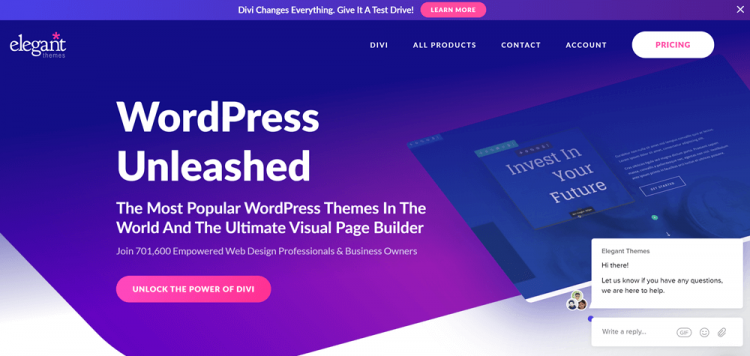
Features
- Access to Divi, Extra, Bloom, and Monarch
- Hundreds of website packs (layouts for Divi)
- Product updates
- Premium support
- Unlimited website usage
How Elegant Themes works
To get started with Elegant Themes, you must sign up for one of their paid plans. You can do this by entering some basic information and paying with either PayPal or a credit card.
Once your account is created, you’ll be directed to the Elegant Themes member area. You can download the tools you intend to use here.

Click on the “Download” button of the tool you want to use. This will add download the theme or plugin as a ZIP file.
How to add the themes to your WordPress site
When you have downloaded the theme you want to work with, go to your WordPress dashboard. From here, navigate to “Appearance > Themes” and click the “Add New” button at the top of the page.
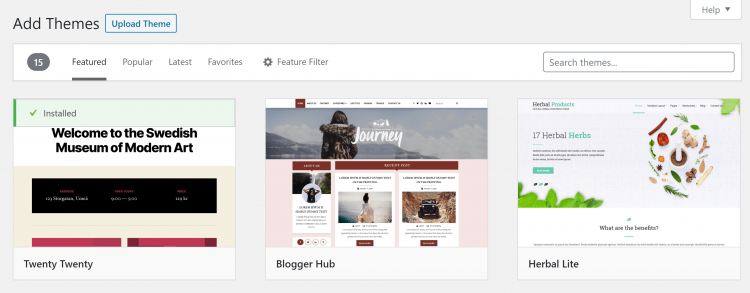
This will take you to a page where you can see the official WordPress library of themes. Press the “Upload Theme” button. A box will appear prompting you to select a file. You can drag and drop the appropriate file into this box or manually select a file from your computer.

Once you have selected the appropriate file, press “Install Now”. WordPress will unpack the ZIP file and take you to a page where you can choose to preview or activate the theme.

Click “Activate” to start using the theme.
How to add the plugins to your WordPress site
This is a very similar process to installing a theme. In your WordPress dashboard, go to “Plugins > Add New”. You’ll be directed to the official WordPress library of plugins. To install one of your own, click the “Upload Plugin” near the top of the page.

A box will appear for you to place the file in. You can drag and drop the file into the appropriate place or manually search for it on your computer. Once the appropriate file is loaded, press “Install Now”.
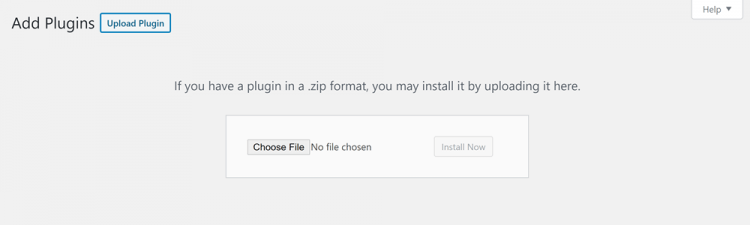
WordPress will then unpack the plugin. Click “Activate” when prompted, and you’re ready to start using the plugin.
Divi Builder
The Divi Builder is a visual editor that powers both the Divi and Extra themes. You can also use it with any other theme of your choice. Simply install the plugin, create a new page, and choose the Divi Builder instead of the regular WordPress editor.
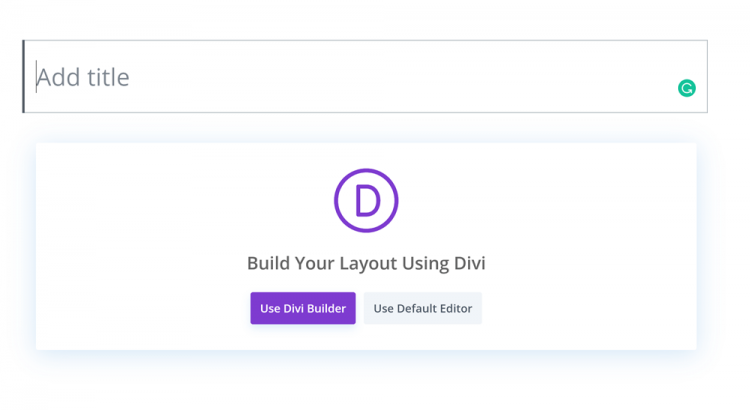
The first time you enter the builder, you will have the option to view some tutorials. These provide a comprehensive tour of the builder. For most users, however, Divi is simple enough to dive into without the tutorials.
When you open the Divi Builder you are given three options:
- Build from scratch
- Choose a premade layout
- Clone existing page
I will take a closer look at the first two options below.
Building pages from scratch
This option opens a blank page in the Divi Builder. The builder immediately prompts you to insert a row. A variety of layouts are offered, allowing you to specify the number and shape of the columns in each row.
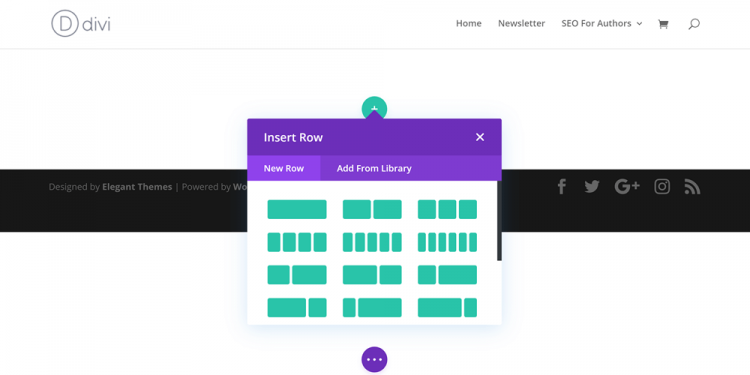
When you select a layout for your first row, the builder will prompt you to start adding modules. Divi offers modules for numerous types of content, including audio content, galleries, and pricing tables. They also provide a variety of modules integrated directly with WooCommerce.

Each module can then be customized. You can repeat this process with as many rows as you want. Every row can have the same layout, or you can play around with different layouts to create a unique page. You can also drag and drop content blocks to new parts of the page.
Using premade layouts
The Divi Builder provides access to dozens of premade page layouts. These layouts are organized in packs for different industries. A huge variety of industries are represented, ranging from digital marketing to construction and everything in between. You can search for a specific term or click on a category to see only layouts for that type of business.
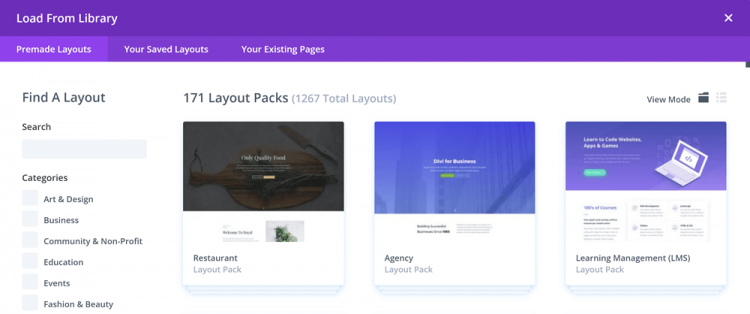
Click on the layout pack you want to learn more about it. You can view images of all the pages included in the pack or try it out with a live demo. To view layouts other than the first option, scroll down inside the preview box. Click on the “Use This Layout” button when you’re happy with the page in front of you. This will load the layout into the Divi Builder.

The first time you do this, you must verify your Elegant Themes membership by entering your API Key. You can find this on the “My Account” page of the Members Area. You only need to enter this information the first time you use a premade layout.
Once the layout is uploaded, you can edit, move, or delete modules to your heart’s content. You can also add modules where necessary.
These layouts are technically compatible with any theme, but are most effective when combined with Divi.
Overall thoughts
The Divi Builder is one of the most powerful page building tools I’ve worked with. I was particularly impressed by the variety of content modules available and the WooCommerce integrations. This builder is a great tool for any WordPress user who wants more customization options without having to learn code.
Divi theme

Powered by the Divi Builder, the Divi theme is built with maximum flexibility in mind. In the “Appearance > Customize” area of your WordPress dashboard, you’ll find an impressive number of customization options. These include color schemes, widgets, and how your site appears on mobile devices.

When you go into the General Settings, you can see that Divi has customization options for almost every aspect of its appearance.

There are similarly detailed options available in every section of the customization menu.
Divi also integrates with WooCommerce, allowing you to customize the appearance of certain shop pages:

Overall thoughts
The sheer number of layouts available for the Divi theme make it a great choice for businesses in almost industry. I was also quite impressed by the extensive options in the customization area.
Extra
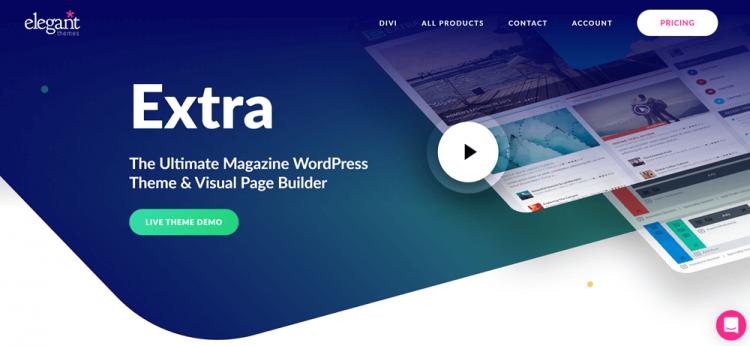
Extra is a specialized theme for magazines. The theme features a distinctive boxed look. There are also special areas for trending topics and social media links in the theme header.

In the “Appearance > Customize” area of your WordPress dashboard, you’ll find all the same customization options offered by Divi. You’ll also be able to customize your social media networks, adding links to profiles on a variety of platforms.

Extra is technically compatible with all Divi premade layouts. However, there is no way to get rid of the sidebar in this theme. This means that full-page layouts look rather strange.
Overall thoughts
Extra has obvious value for magazines and similar businesses. I am particularly fond of the “Trending” area at the top of every page. However, this theme is not nearly as versatile as Divi.
Monarch
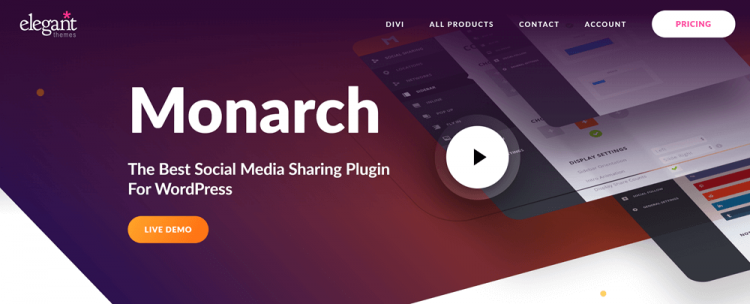
The next product I looked at for the Elegant Themes review was Monarch, a social media sharing plugin. To get started with this plugin, go to the “Plugins” area of your WordPress dashboard, scroll down to Monarch, and click “Settings”.

This will take you to a page where you can manage the locations of your social media sharing buttons. You can choose as many of these as you like.

Connect social networks
Next, go to the “Networks” area. This is where you can select the networks you will display sharing buttons for. Click the “Add Network” button. A box will appear with buttons for a wide variety of networks. Simply press on a button to add a network. You can have as many as you wish.

Some of the networks, like Twitter, also allow you to make sure that your account is tagged when your content is shared.
Customize sharing buttons
Now you’re ready to configure how the buttons themselves appear. Click on one of the locations you’ve chosen for your social media buttons. For example, if you chose to display the icons in a sidebar, you’ll want to click on the “Sidebar” option in the Monarch menu.
This will take you to a page where you can edit what the sharing buttons in the sidebar look like.
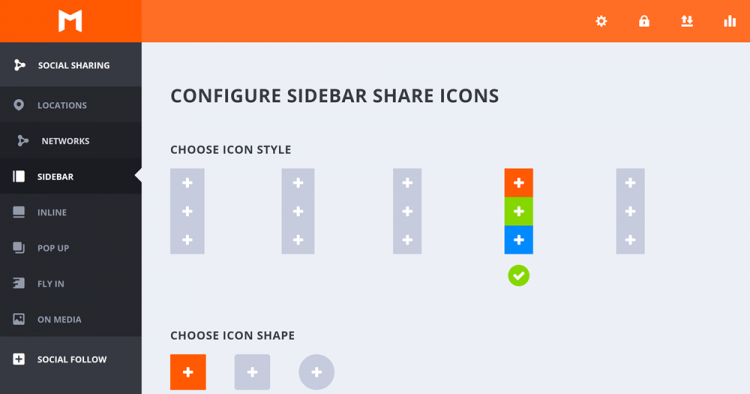
You can customize the style, shape, color, and spacing of your icons here. You can also toggle a variety of other display options:
- The side these buttons are displayed on
- How the buttons are introduced to the screen
- Share counts
- Total shares
- “All networks” button
- Hide on mobile devices
- What posts these buttons appear on
You can customize these settings for icons in any location.
Social follow settings
You can also use Monarch to encourage people to follow your social media accounts. Click on the “Social Follow” button in the Monarch menu. This will take you to a page where you can add the accounts you want your audience to follow.
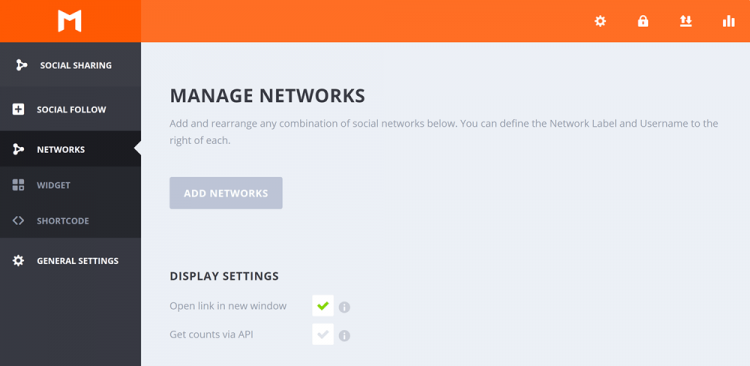
Press on the “Add Networks” button. This will open a box with buttons allowing you to connect with a variety of social media networks. Click on a social media network to begin the authentication process. As with social login, this process will look slightly different for each social network.
When you have connected all of the appropriate networks, click on the “Widgets” link in the Monarch menu. This will take you to an area where you can customize how your follow Widget appears:

Once you’ve saved these settings, move on to the Shortcode area. This will give you the code for the follow widget you just created.
Overall thoughts
Monarch is one of the more impressive social media sharing plugins I’ve looked at. The controls are simple to configure but still offer extensive customization.
Bloom
Bloom is an opt-in plugin that allows you to create effective lead generation campaigns. When the plugin is installed, an area for Bloom will appear in your WordPress dashboard.
Create your first optin
Clicking on the “Bloom” link takes you to a page where you can create your first optin.
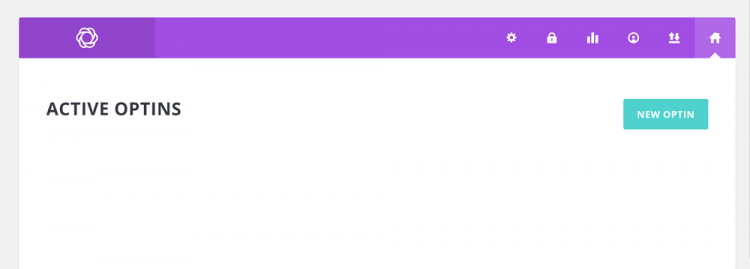
Press “New Optin” to get started. This will open a menu with several options for opt-in types. Click on a format to select it.

Bloom will then take you to a setup area where you can name this optin form. You can also choose the email marketing service this form sends information to.

Next, move to the “Design” area. Here, you will find a library of form templates:
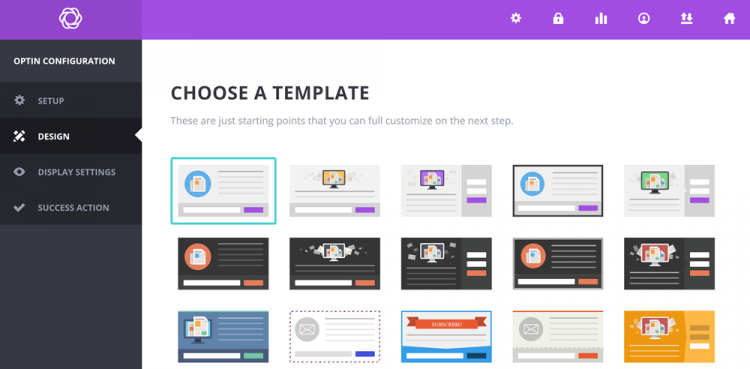
Pick a template and scroll to the bottom to reach the next phase of design. Here, you can customize the optin title, optin message, what information the form asks for, image settings, and more. There is, unfortunately, no visual editor in Bloom.
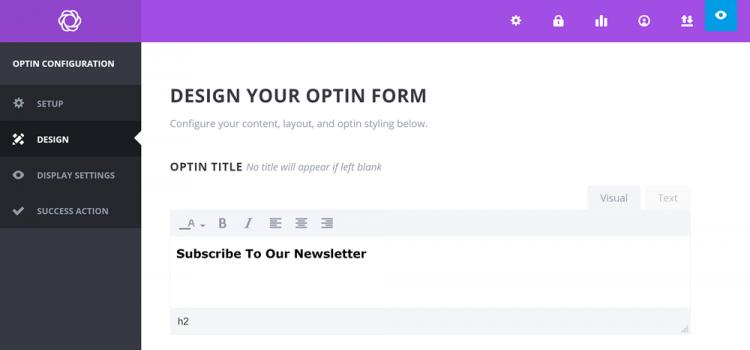
When you’re satisfied with your opt-in form’s appearance, you can progress to the “Design Settings”. This allows you to customize when your form appears to visitors, what actions trigger it, and how often it is displayed to visitors.

Finally, go to the “Success Action” area. This is where you can customize what happens to users after they complete the form. You can give them a customized success message or redirect them to a specific URL.
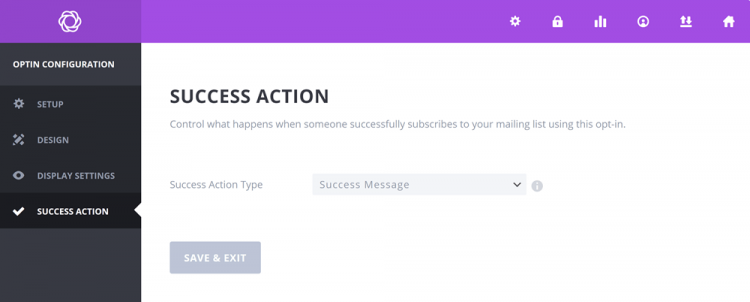
When you’re done setting this up, click “Save & Exit” to publish the opt-in form.
Statistics
Bloom collects optin data in real time. Basic stats for each opt-in are displayed in the listings in the “Optin Forms” area of Bloom.

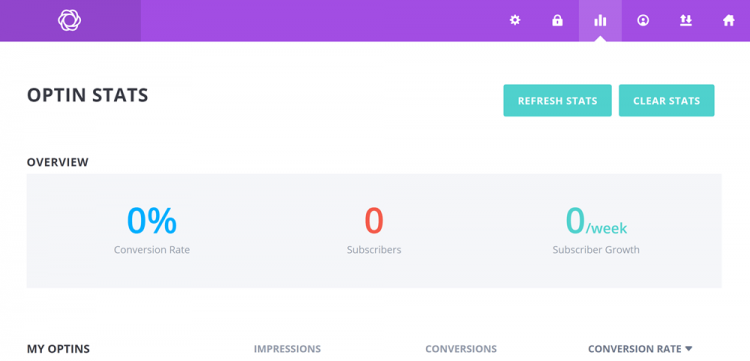
To get an idea how Bloom is working out across all of your campaigns, click on the bar graph in the top menu of Bloom.

This will take you to a page where you can see your most important stats at a glance. Bloom tracks impressions, conversions, total subscriber numbers, and subscriber growth over time.
Overall thoughts
Bloom is an all right addition to the Elegant Themes package, but it’s not the best optin plugin out there. I found the lack of a visual editor frustrating. Some of the customization options were also difficult to understand.
Pricing
Now that I’ve shown you what Elegant Themes has to offer, it’s time to take a look at the pricing. Elegant Themes offers two membership plans:
- Annual membership – $89/ year
- Lifetime membership – $249
Notably, both plans offer the same features. The only difference is that the lifetime membership, with its one-time payment, will save you a significant amount of money in the long term.
Elegant Themes review: Pros
- Easy-to-use, highly versatile Divi page builder
- Use of the Divi theme
- Dozens of layouts for the Divi theme
- Access to Extra
- Simplified, highly customizable social media sharing through Monarch
- Opt-in creator with dozens of form templates
- Lifetime membership option
Elegant Themes review: Cons
- Lack of a visual editor in Bloom
- You pay for all features, regardless of how many you intend to use
- Custom shortcodes from the Divi Builder are not compatible with other page builder plugins
- The sheer amount of customization options available with Divi may be overwhelming to people who have never worked with a page builder before
Elegant Themes review: the verdict
There’s a lot to unpack in this review of Elegant Themes, so I’m going to judge it based on two factors: quality and value.
Quality
All in all, the quality of the Elegant Themes products is impressive. The Divi Builder is straightforward and powerful and the Divi theme comes with near-endless customization options. Extra is one of the most attractive and versatile magazine themes I’ve encountered. Monarch simplifies the creation of social sharing buttons and/or social following widgets.
The one piece of the puzzle that doesn’t quite fit is Bloom. The lack of a visual editor makes it more difficult to use than other Elegant Themes tools. If the optin plugin was one of the main draws for you, it might be worthwhile to consider other options like Thrive Leads ($67) or Optin Forms (free version).
Value
There are two Elegant Themes membership plans. The annual plan is available for $89 USD/year. I find this quite reasonable, considering the cost of using individual premium plugins across multiple sites.
The lifetime membership, on the other hand, provides incredible value. At $249 USD, it costs less than paying for three years of annual membership. With the ability to use all tools on unlimited sites, this would be a reasonable price for lifetime membership to just the Divi Builder. As a package, it is an incredible deal.
Final verdict
Elegant Themes offers a bundle of powerful, easy-to-use WordPress tools at an affordable price for even the smallest of businesses.
If even one of these tools sounds appealing to you, an Elegant Themes membership is a worthwhile investment.